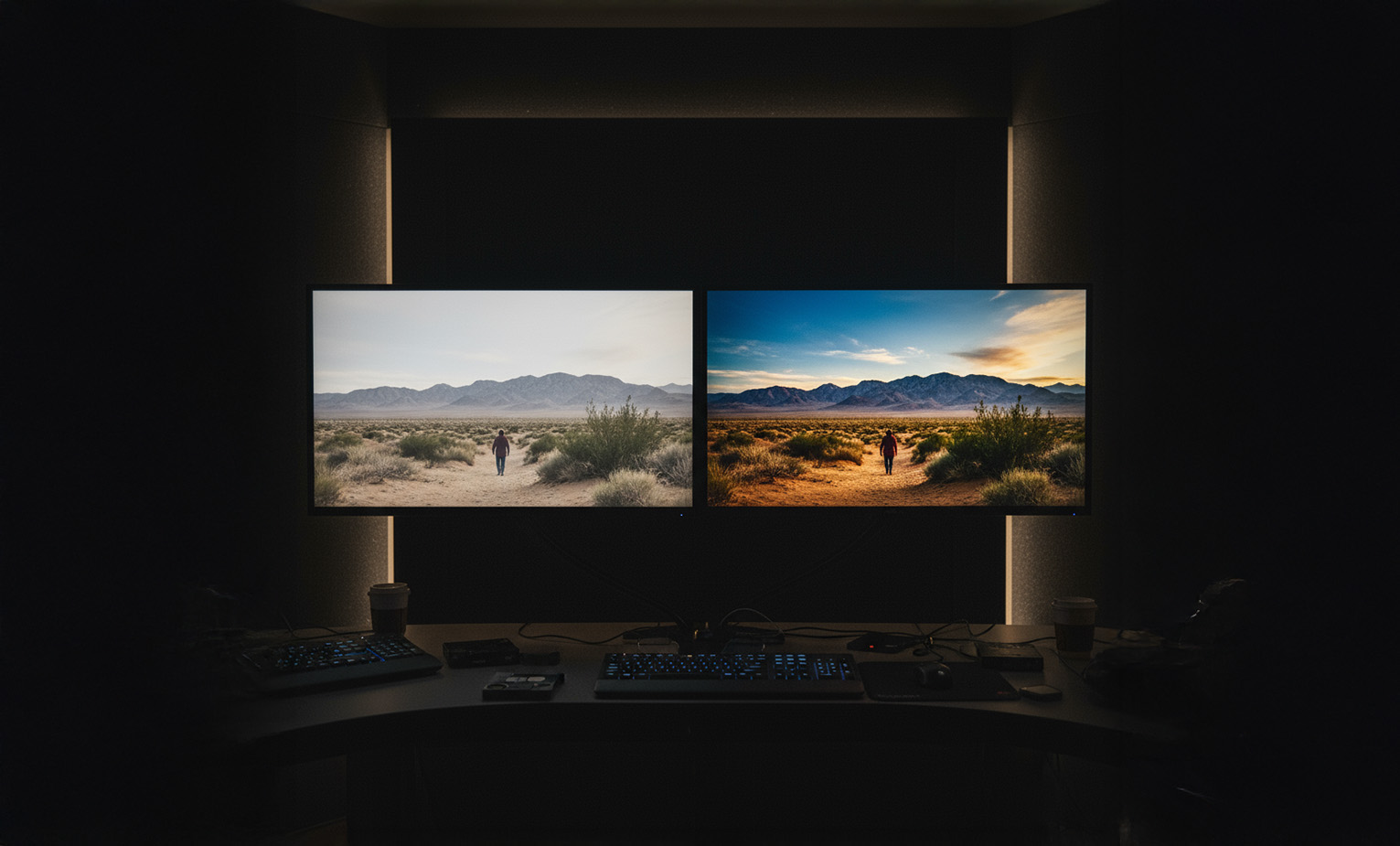
One of the most common video editing problems that editors face is flat or dull colors. You shoot your footage, import it into your editing software, and suddenly everything looks washed out with no depth or life. Even if the camera quality was high, the final image doesn’t “pop.”
Why does this happen?
-
Incorrect camera settings (wrong white balance or exposure).
-
Shooting in poor lighting conditions.
-
Cameras recording in Log profiles, which makes footage look flat until it’s color-graded.
The Solution: Step-by-Step
-
Color Correction: Start by restoring the natural balance. Fix white balance, exposure, and contrast to make the footage look neutral.
-
Color Grading: Add a creative look that matches the mood of your video—warm tones for romantic ads, cooler tones for serious documentaries, etc.
-
Use LUTs (Look Up Tables): They’re a good starting point but always tweak them manually to fit your unique project.
Pro Tip:
Always grade on a calibrated monitor to ensure your audience sees the same colors you do.


3 Replies to “How to Fix Flat Colors in Video Editing”
Derek
Fascinating read! Virtual exploration of Spanish culture is a great idea. Any tech tools or apps you recommend for a seamless experience?
Faton
Fascinating read! Virtual exploration of Spanish culture is a great idea. Any tech tools or apps you recommend for a seamless experience?
Farek
Fascinating read! Virtual exploration of Spanish culture is a great idea. Any tech tools or apps you recommend for a seamless experience?